Mint and Burn

Increase or decrease token supply by minting to an address or burning from an account you control.

After deploying a token, you can mint new tokens to any address and burn tokens from accounts you control. Force-burn lets admins burn from any account without the holder's signature.

Prerequisites

  • A deployed token with status active
  • tokens:write permission — or tokens:admin for force-burn

How it works

Select the token and action

Open the token you want to manage. Mint and burn are both available from the token detail page.

In the Issuance list, click an active token to open its detail page.

The Fund management panel shows the current supply with two primary actions: Mint and Burn.
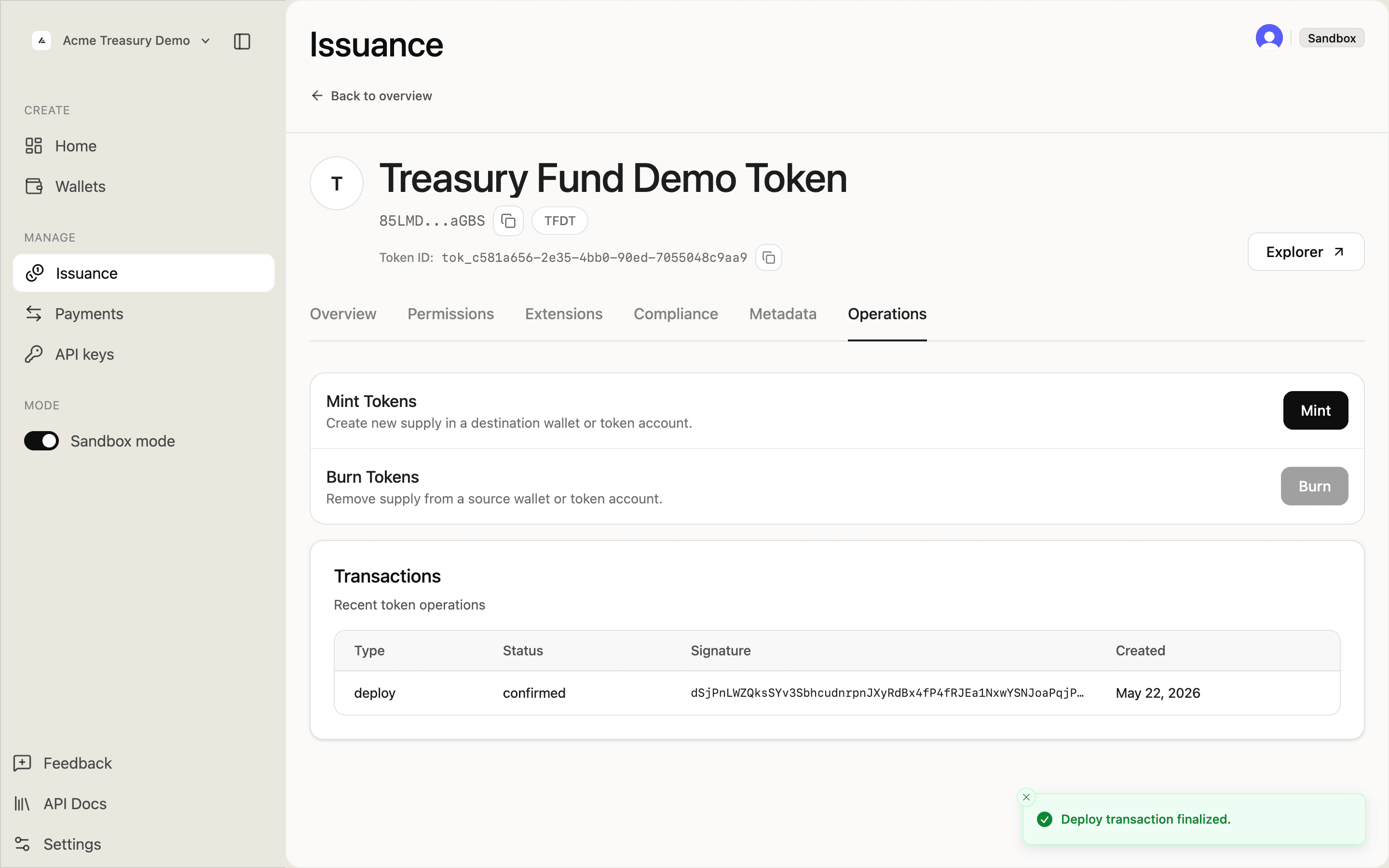
Token Operations tab showing Mint and Burn actions

All supply operations share this URL pattern:

POST /v1/issuance/tokens/{tokenId}/mint
POST /v1/issuance/tokens/{tokenId}/burn
POST /v1/issuance/tokens/{tokenId}/force-burn

The amount field is a decimal string in UI units (human-readable token amounts). "1" means one token; "1.5" means one and a half. SDP converts to on-chain base units using the token's decimals.

Mint tokens

Issue new tokens to a destination address. SDP derives the associated token account automatically.

In the Mint form:

  • Destination — wallet address to receive the new tokens
  • Amount — in human-readable units (e.g., 1.0)
  • Memo — optional, recorded onchain

Click Mint. A modal shows the signer wallet and a destination picker — select or paste the destination address.

Fill in the amount and optional memo, then click Mint tokens.
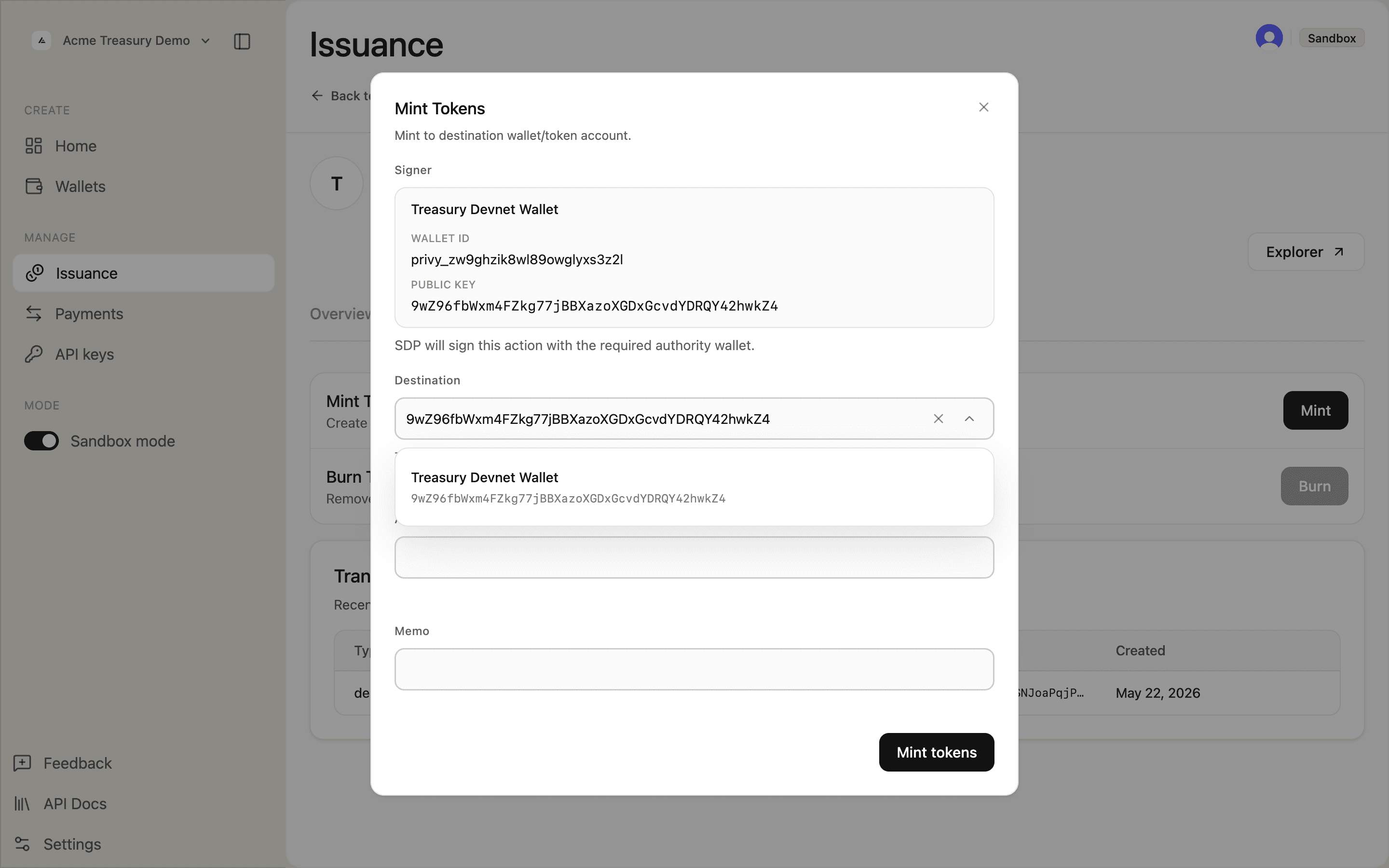
Mint Tokens modal with amount and memo filled in

Confirm the on-chain submission in the confirmation prompt.
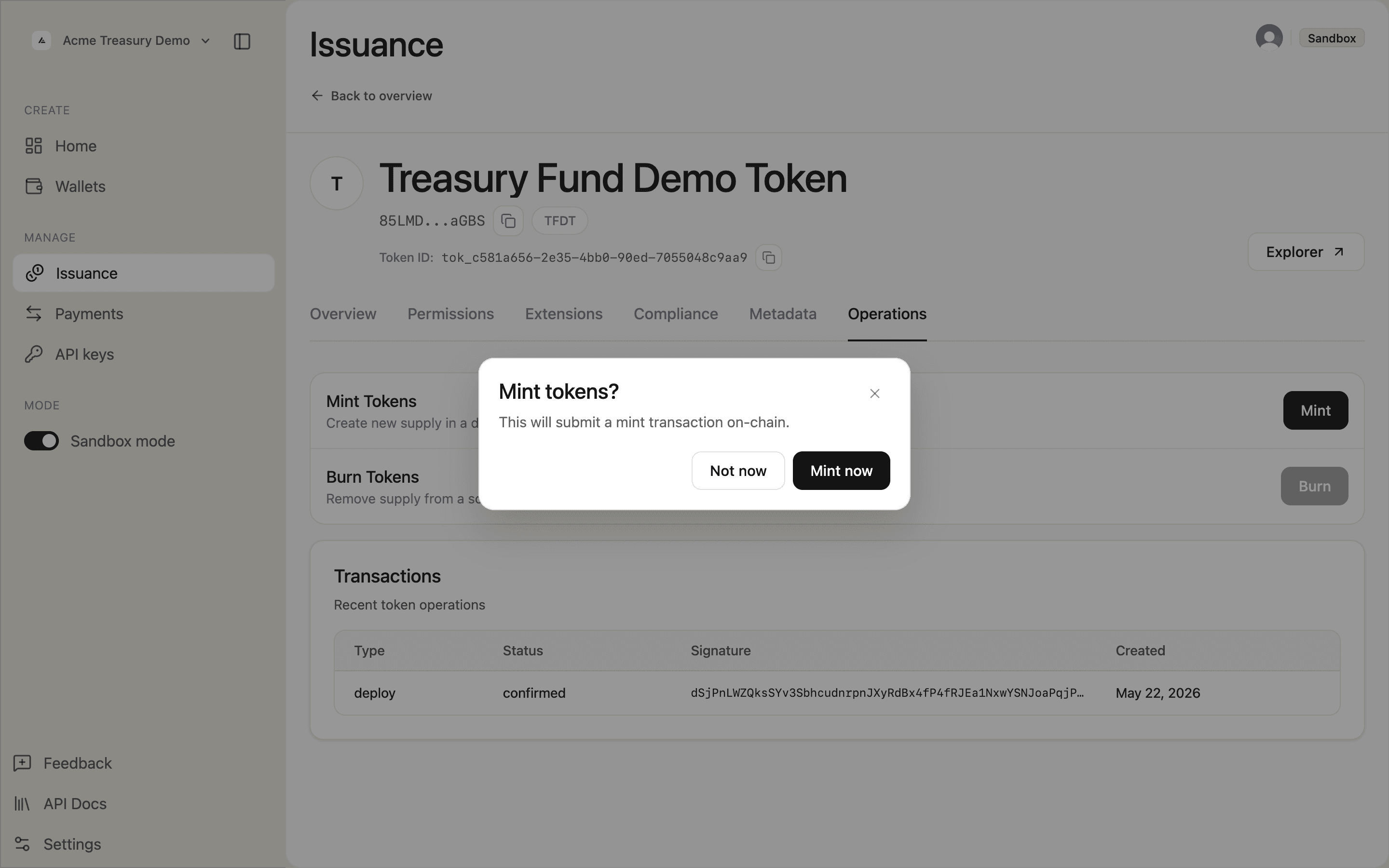
Mint tokens confirmation dialog — click Mint now to submit the transaction on-chain

Once confirmed, the mint appears in the Transactions table with a confirmed status and a "Mint transaction finalized." toast appears.
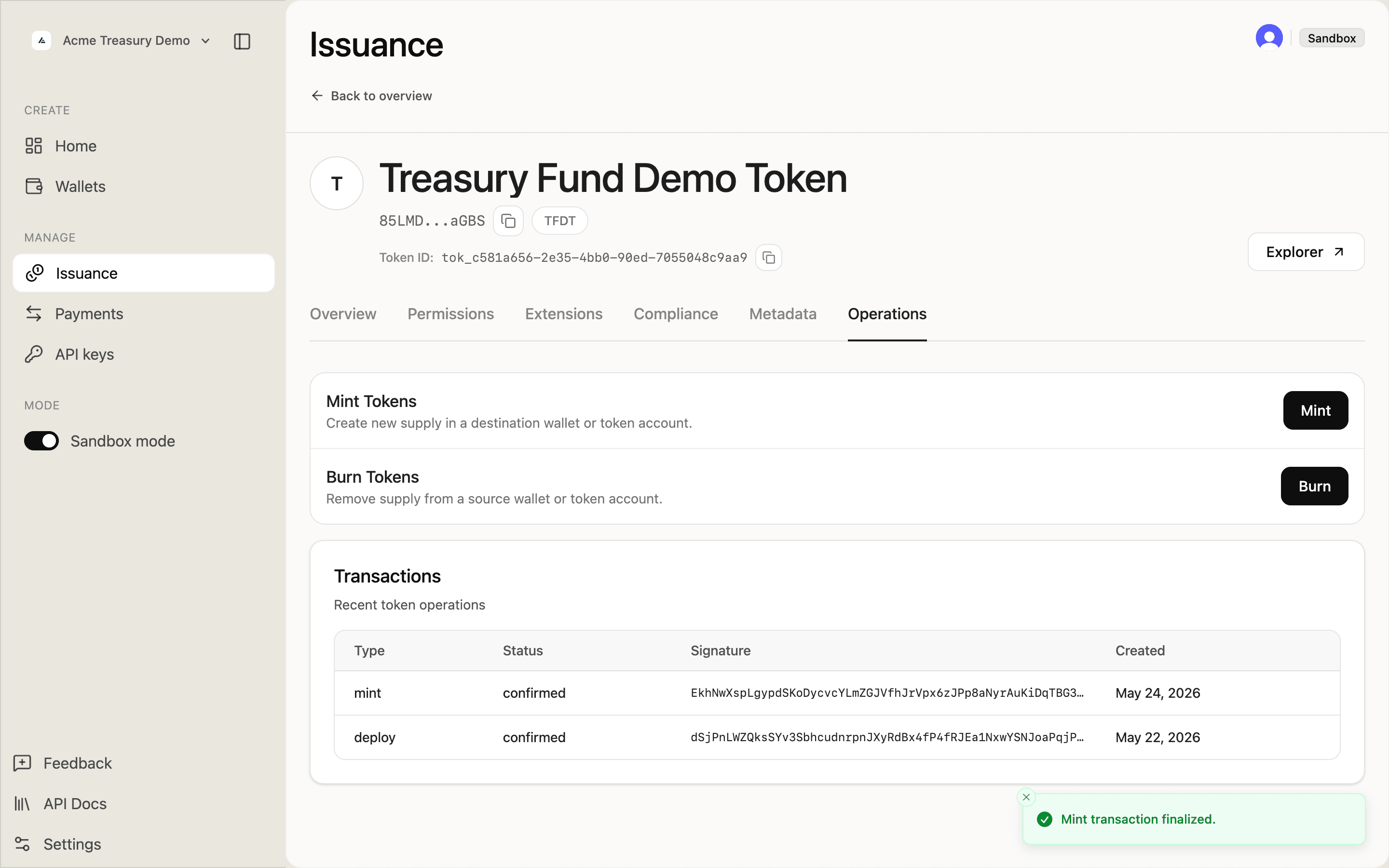
Operations tab showing confirmed mint entry and Mint transaction finalized toast

curl -X POST https://api.solana.com/v1/issuance/tokens/tok_abc123/mint \
  -H "Authorization: Bearer sk_test_..." \
  -H "Content-Type: application/json" \
  -H "Idempotency-Key: mint-001" \
  -d '{
    "mint": {
      "destination": "7xKXz...9fGh",
      "amount": "1000",
      "memo": "Initial distribution"
    }
  }'
const res = await fetch(
  "https://api.solana.com/v1/issuance/tokens/tok_abc123/mint",
  {
    method: "POST",
    headers: {
      Authorization: "Bearer sk_test_...",
      "Content-Type": "application/json",
      "Idempotency-Key": "mint-001",
    },
    body: JSON.stringify({
      mint: {
        destination: "7xKXz...9fGh",
        amount: "1000",
        memo: "Initial distribution",
      },
    }),
  }
);

Add /prepare to the path to simulate before signing. Control priority with options.priorityFee: "none", "low", "medium", "high", or a micro-lamport value.

Burn tokens

Reduce supply by burning from an account your wallet controls. Use force-burn to burn from any holder account without their signature.

Click Burn. A modal shows the signer and a source field — select the wallet holding the tokens you want to remove.
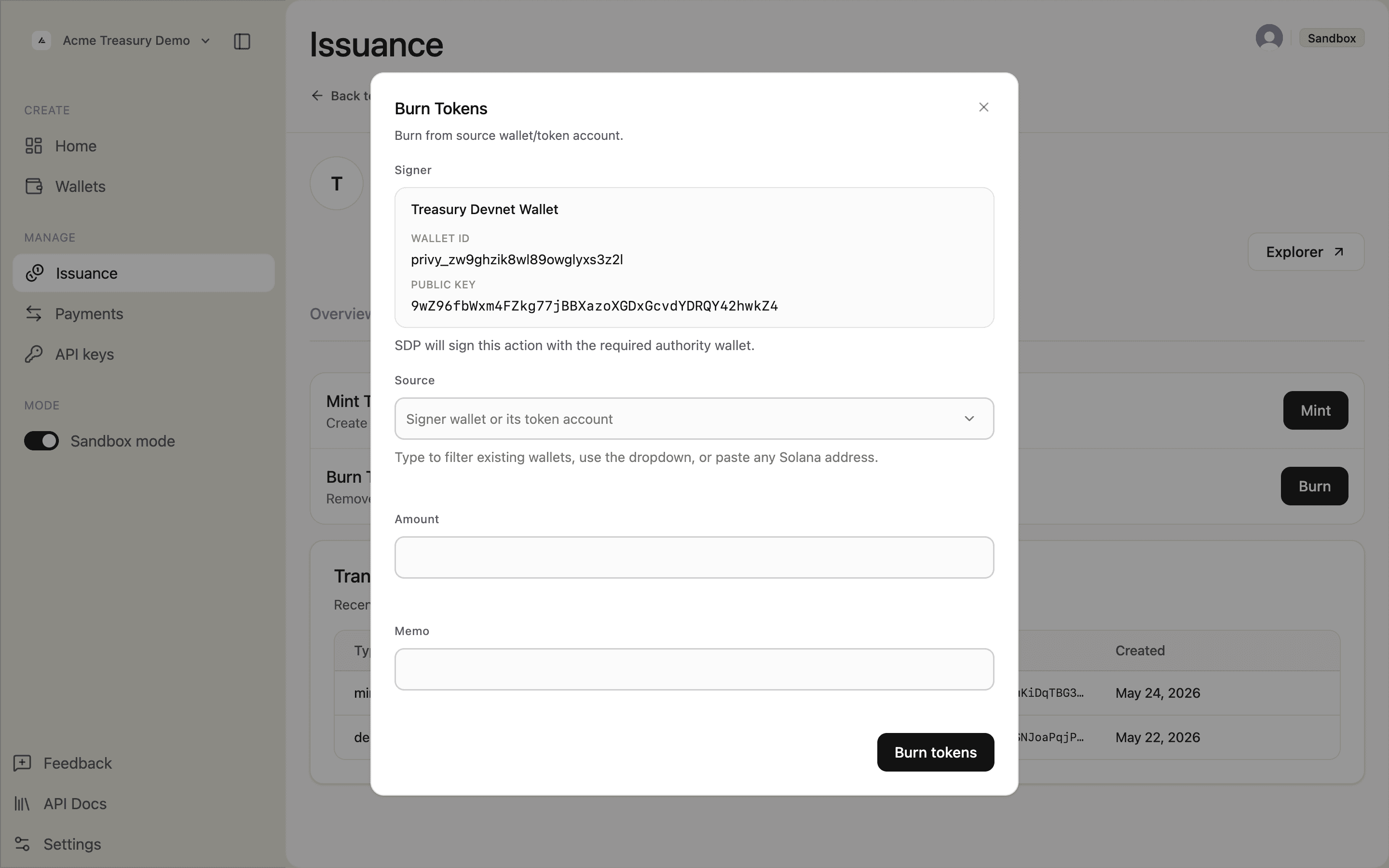
Burn Tokens modal with empty source field

Select the source wallet from the dropdown.
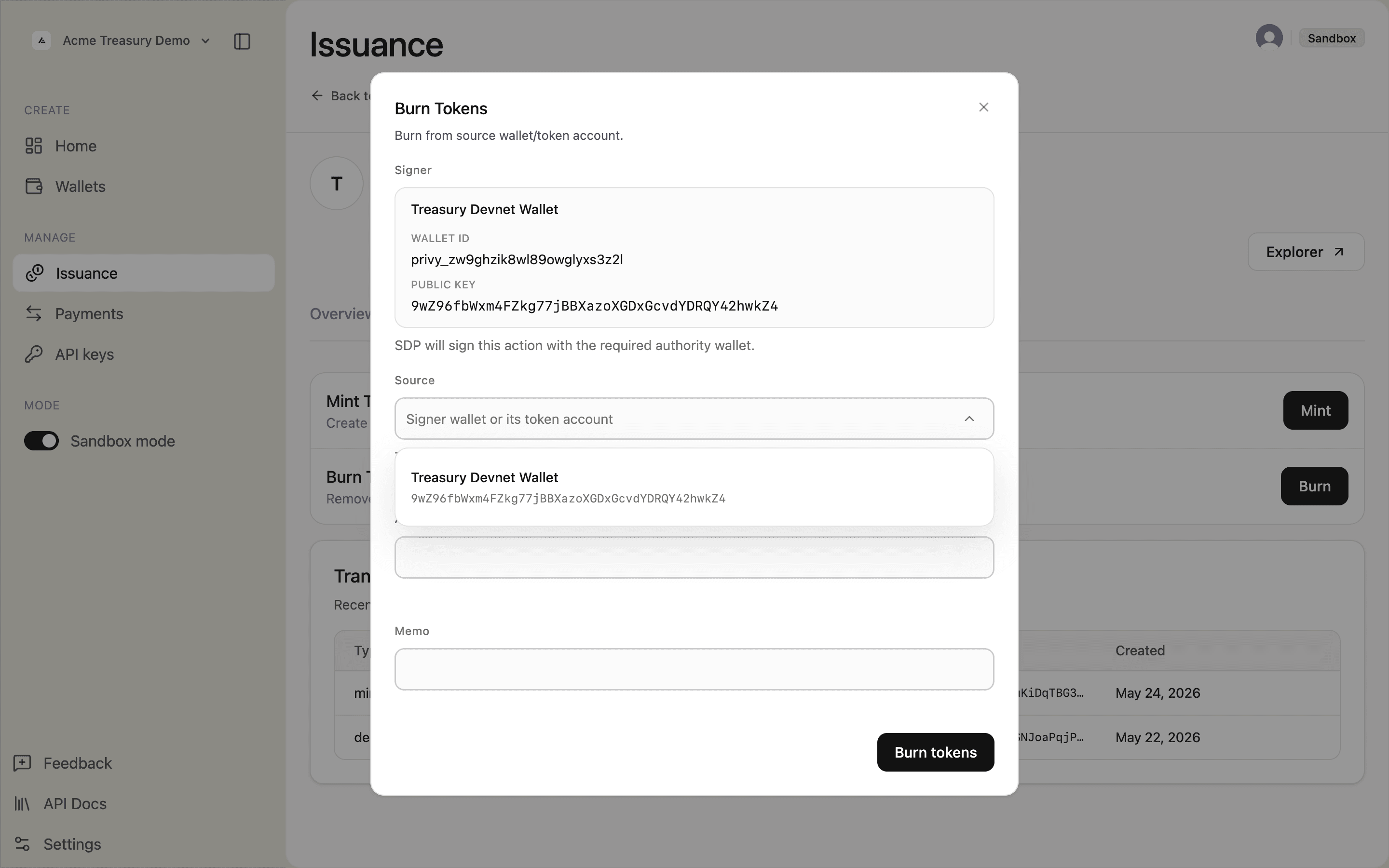
Burn Tokens modal with source wallet dropdown open

Fill in the amount and optional memo, then click Burn tokens.
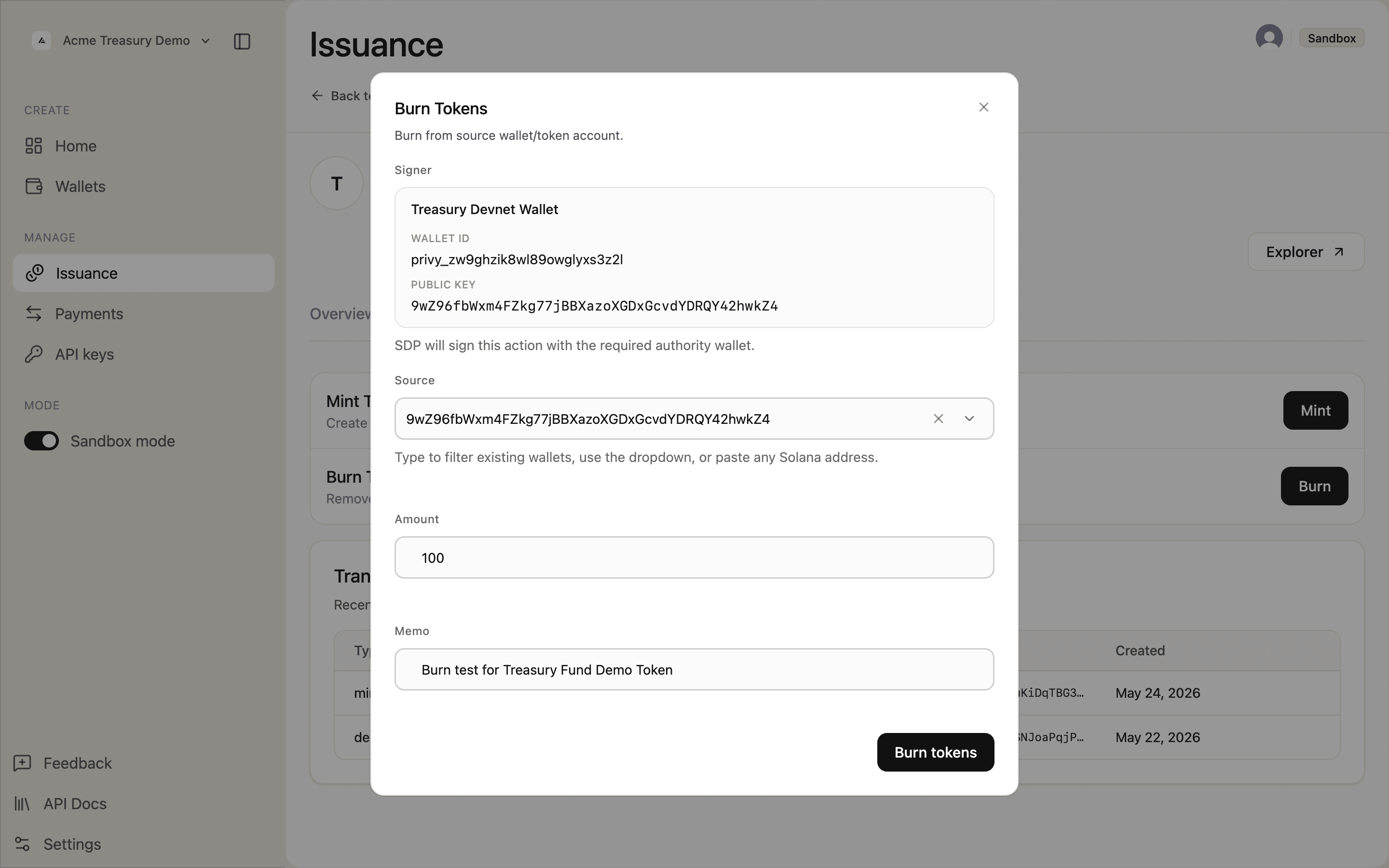
Burn Tokens modal filled with source, amount, and memo

Confirm the on-chain submission in the confirmation prompt.
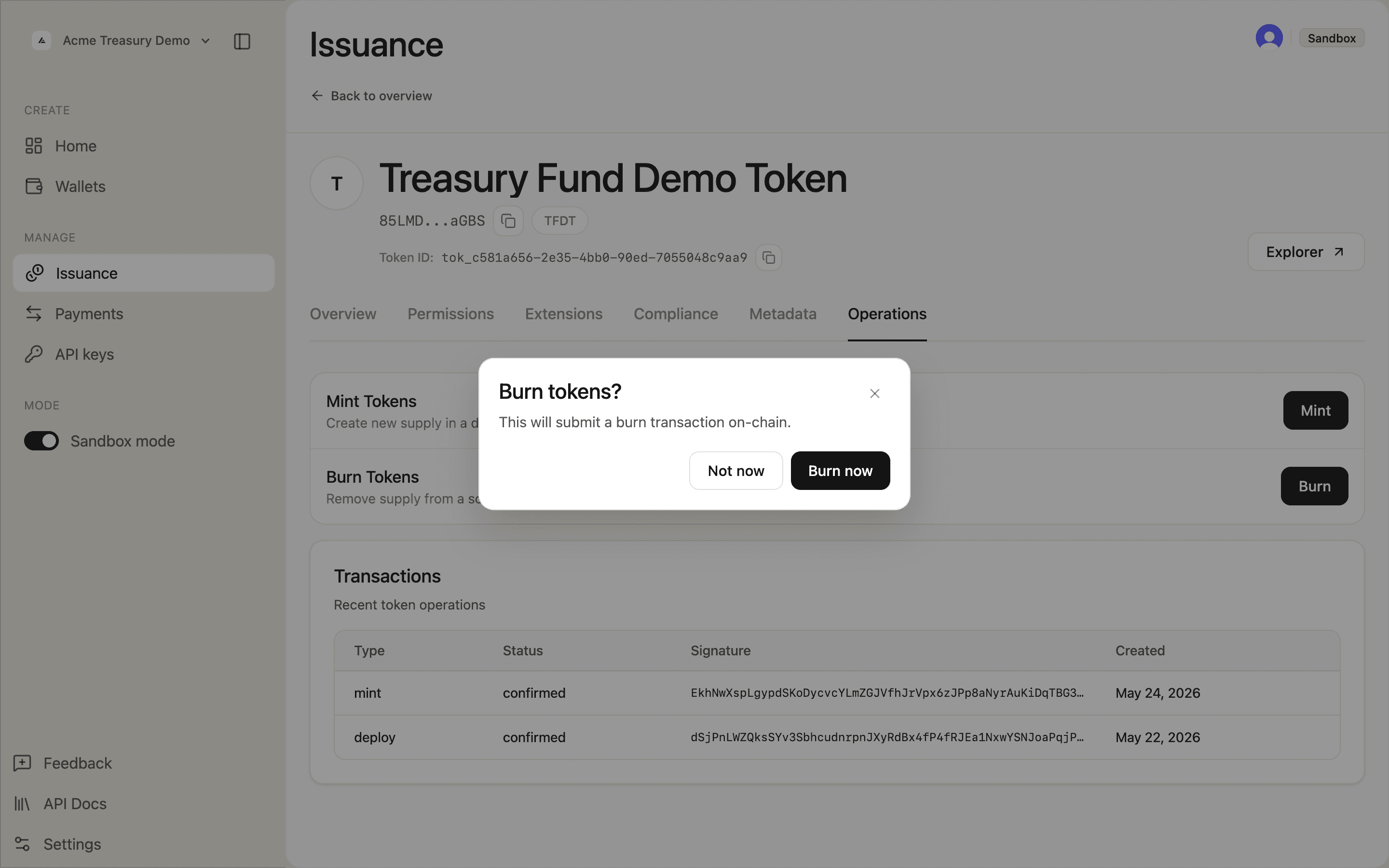
Burn tokens confirmation dialog

The "Burn transaction finalized." toast appears and the burn shows as confirmed in the Transactions table.
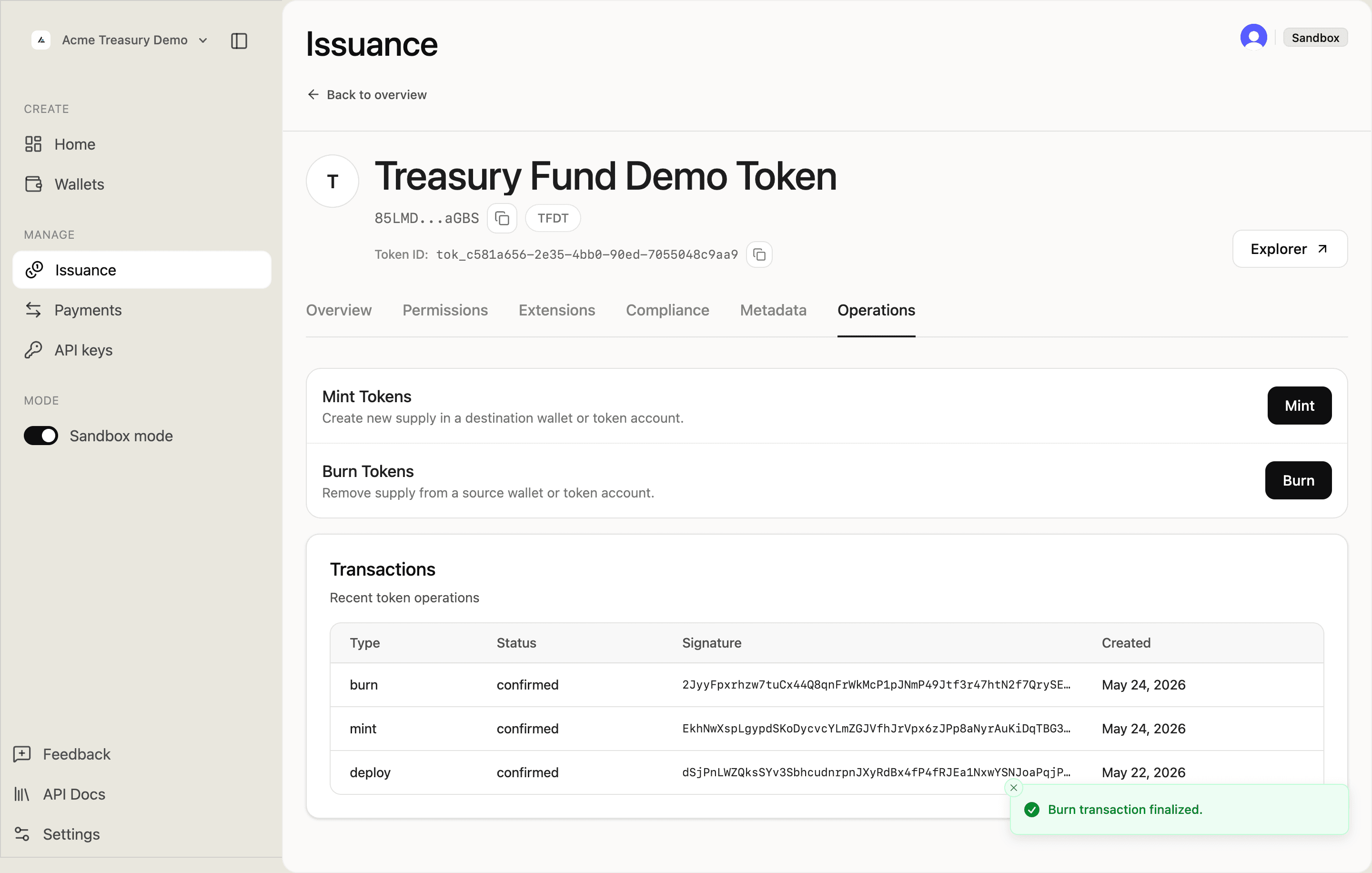
Operations tab showing confirmed burn transaction and finalized toast

For Force burn (requires tokens:admin), use the Compliance tab instead of the Operations tab — force-burn lets admins remove tokens from any holder account without their signature.

Burn from a controlled account:

await fetch("https://api.solana.com/v1/issuance/tokens/tok_abc123/burn", {
  method: "POST",
  headers: {
    Authorization: "Bearer sk_test_...",
    "Content-Type": "application/json",
    "Idempotency-Key": "burn-001",
  },
  body: JSON.stringify({
    burn: { source: "3xYZa...2aBc", amount: "250", memo: "Redemption" },
  }),
});

Force-burn from any holder (requires tokens:admin):

await fetch("https://api.solana.com/v1/issuance/tokens/tok_abc123/force-burn", {
  method: "POST",
  headers: {
    Authorization: "Bearer sk_test_...",
    "Content-Type": "application/json",
    "Idempotency-Key": "force-burn-001",
  },
  body: JSON.stringify({
    forceBurn: { source: "3xYZa...2aBc", amount: "250", memo: "Compliance action" },
  }),
});

Both endpoints support /prepare for client-side signing.

Refresh supply

After minting or burning, refresh the cached supply total.

The dashboard refreshes supply automatically after a confirmed operation. The Transactions table shows all completed operations — deploy, mint, and burn — each with a confirmed status.
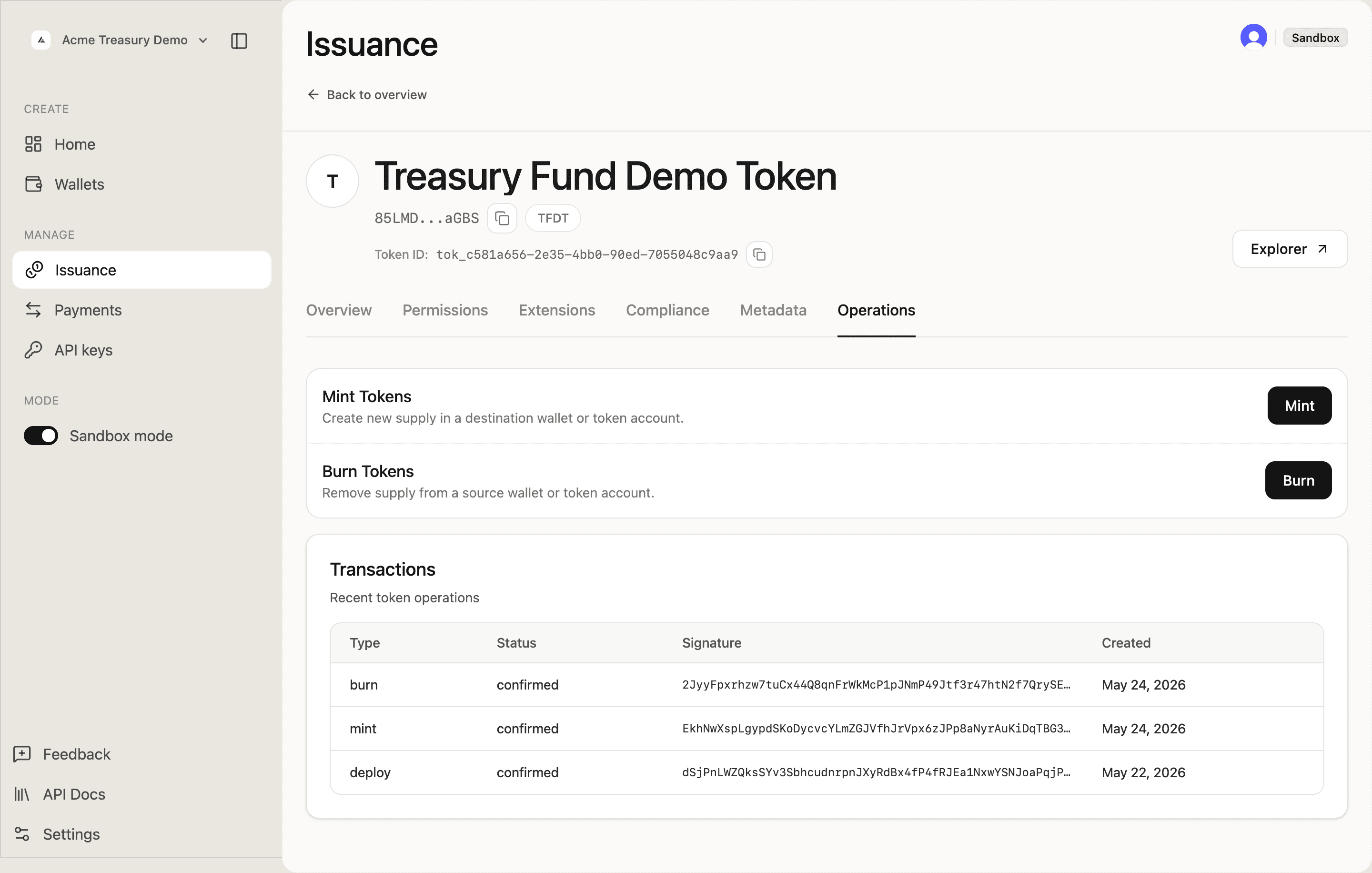
Operations tab showing confirmed burn, mint, and deploy transactions

Reload the token detail page if the displayed supply value appears stale.

curl -X POST https://api.solana.com/v1/issuance/tokens/tok_abc123/supply/refresh \
  -H "Authorization: Bearer sk_test_..."

Safe to include in automated post-mint workflows.

Is this page helpful?