Manage Token Settings
Update token authorities and operational settings after deployment.
After a token is deployed, you can rotate its authorities and adjust operational settings. Authority management is separate from compliance actions — for freeze, pause, and seize flows see Freeze and Compliance.
For on-chain metadata edits, PATCH /v1/issuance/tokens/{tokenId} accepts optional signingCustodyWalletId. It selects the exact custody record controlling the current metadata authority for this request, not a new deployment wallet or authority. Omission requires exactly one matching in-scope record; multiple matches return 409. Database-only edits need no signer. In the dashboard, one matching wallet is automatic; when there are several, choose one in the metadata confirmation or beside the Asset Profile Save button. Historical data.token.signingCustodyWalletId does not change.
To select that signer after an external authority rotation, request GET /v1/issuance/tokens/{tokenId}?includeMetadataAuthority=true and use data.metadataAuthority. For tokens with a mint this is read live from the chain, unlike the stored snapshot in data.token.metadataAuthority; tokens without a mint return their stored metadata authority or mint authority without RPC. RPC failure returns 502, never the stored value as a fallback. The dashboard keeps metadata and allowlist lookup errors separate, and the update rechecks authority before signing. This read changes neither the stored token nor its deployment wallet.
Prerequisites
- A deployed token with status
active tokens:adminpermission on the API key
How it works
View current settings
Review the token's current authorities and configuration before making changes.
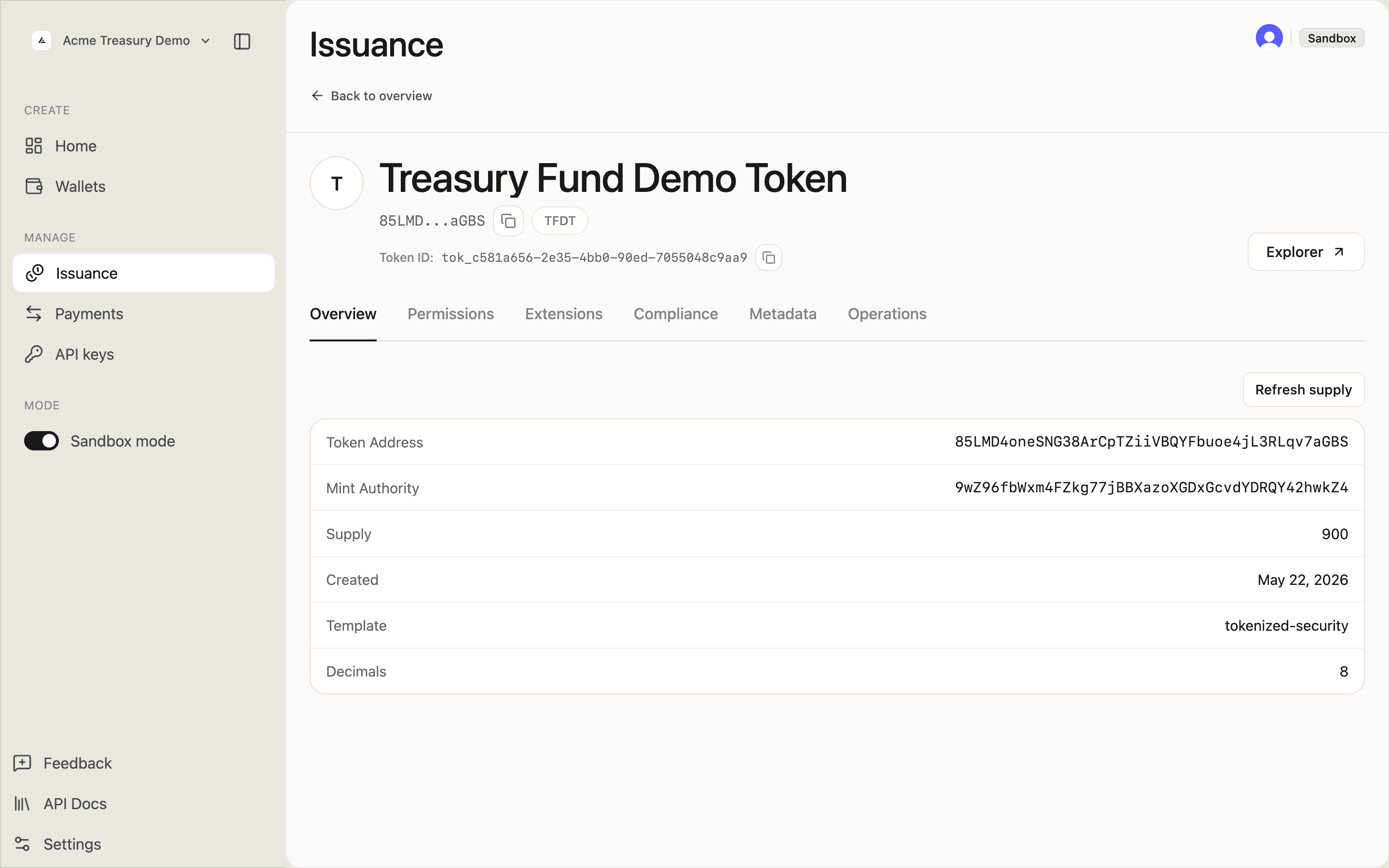
Open the token detail page. The Overview tab shows the token address, mint authority, current supply, and core metadata.
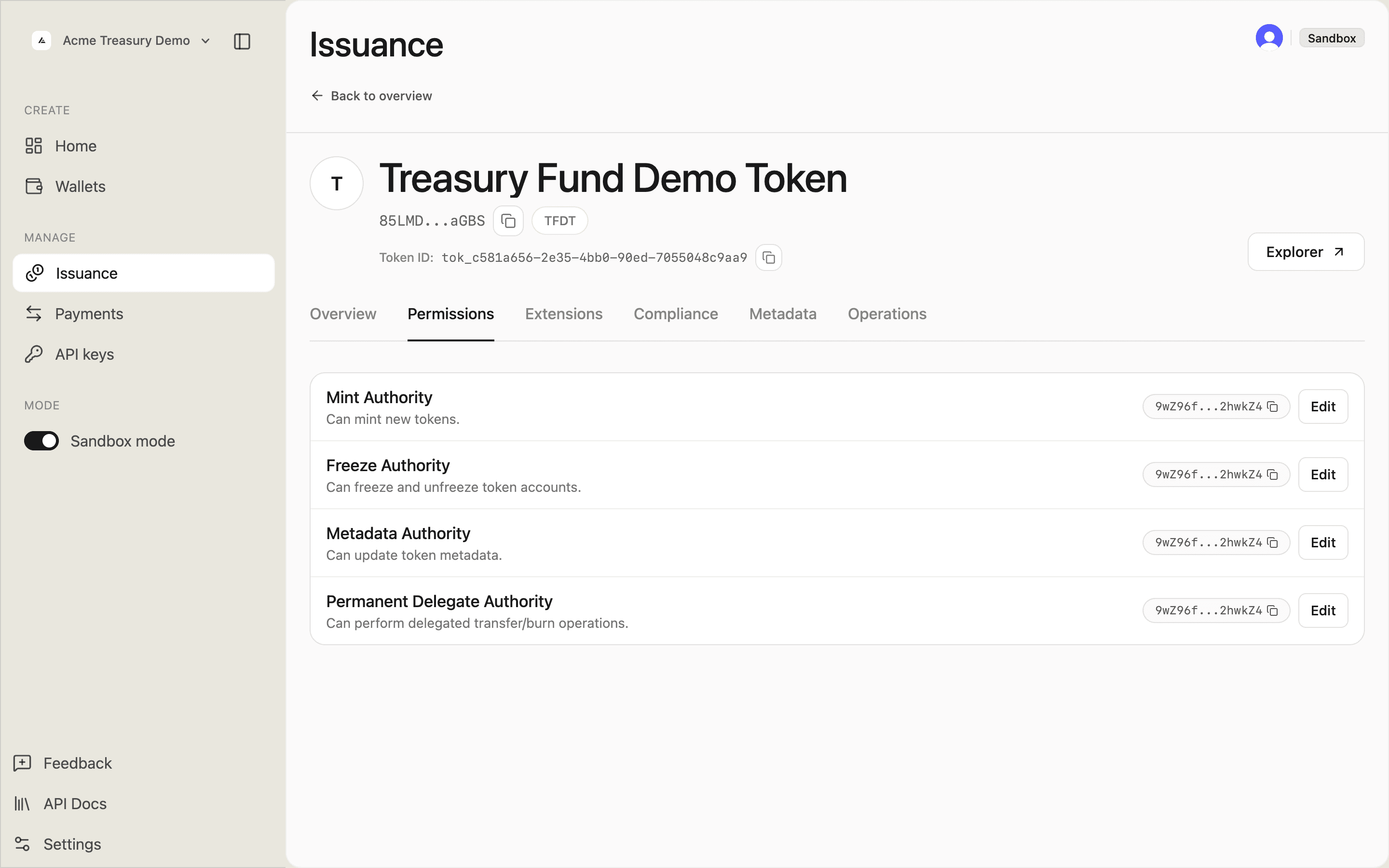
The Permissions tab lists every authority and which wallet currently holds it.
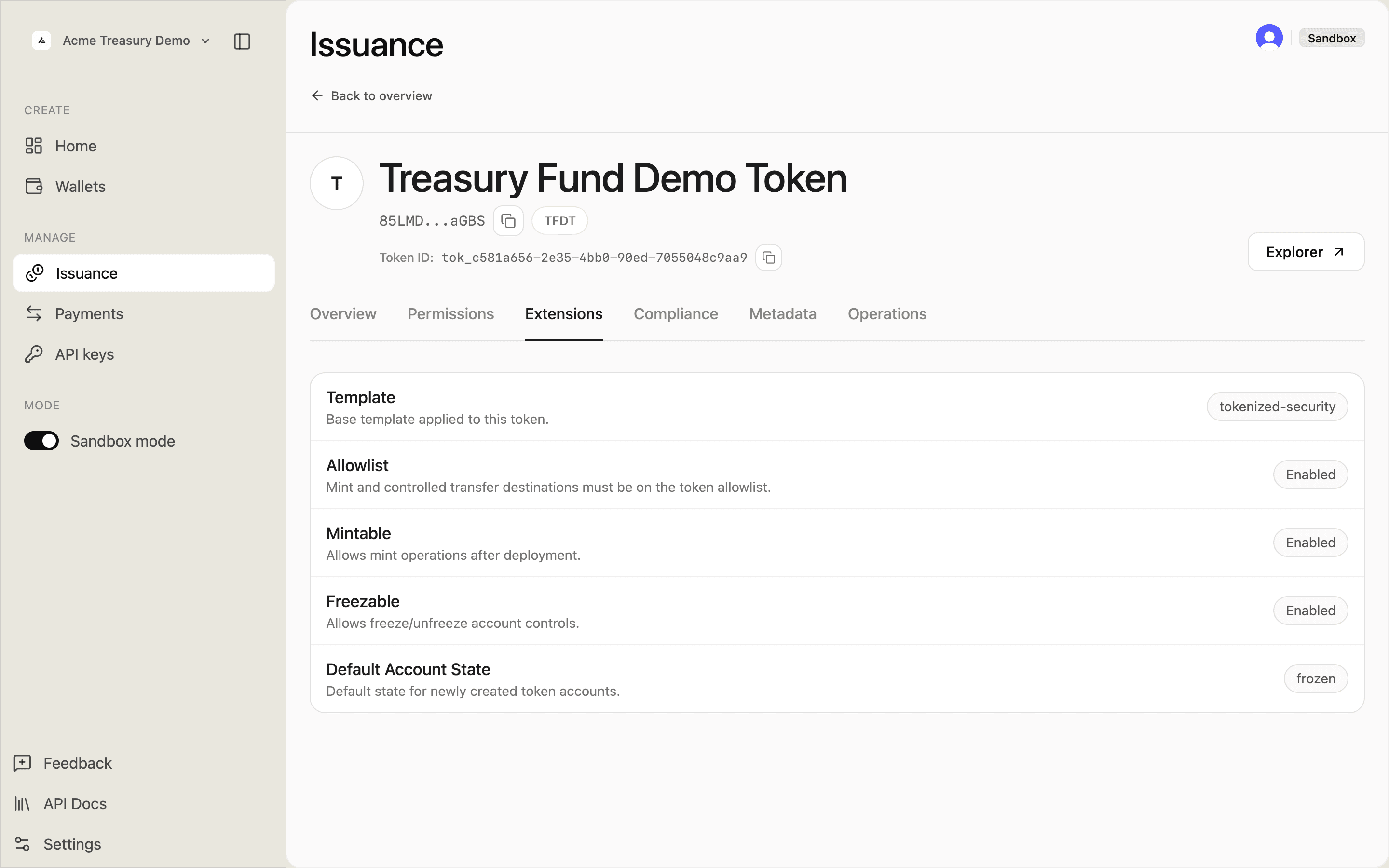
The Extensions tab shows the template and each operational flag — Token Access Control (allowlist) status, mintable, freezable, and default account state.
Rotate an authority
Transfer a token authority to a different wallet. Use this to move signing responsibilities or to hand off control to an external key holder.
On the token detail page, go to Permissions. Click Edit next to the authority you want to change. Select another controlled wallet or choose Use custom address, then click Save authority.
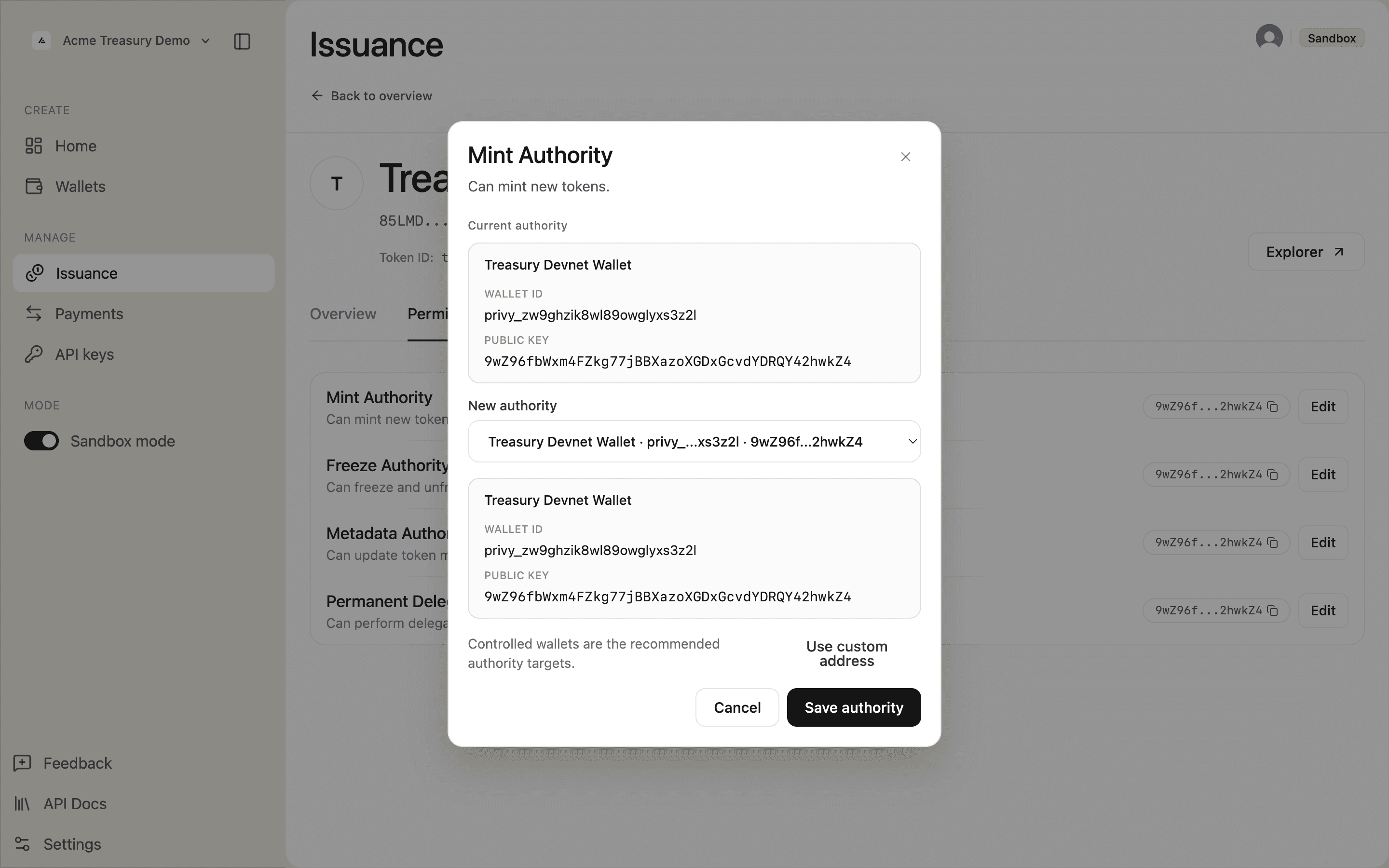
Once an authority is rotated to an external wallet, SDP can no longer sign operations that require it. Rotate the authority back to a controlled wallet to resume using SDP's deploy, mint, and compliance actions.
Revoke an authority
Permanently remove an authority from the token. This action is irreversible — the token will no longer be mintable, freezable, or delegatable depending on which authority is revoked.
In Settings → Authorities, click Revoke next to the authority and confirm. A warning dialog explains the consequences before you proceed.