Manage API Keys

Create, rotate, and revoke API keys with role-based access and environment scoping.

API keys authenticate every request to the SDP API. Each key is scoped to an environment (sandbox or production) and assigned a role that determines what operations it can perform.

Key format

EnvironmentPrefixSolana network
Sandboxsk_test_devnet
Productionsk_live_mainnet-beta

Roles

RoleDescription
api_adminFull access including custody and platform operations
api_developerRead/write access, excludes custody actions
api_readonlyRead-only access to all resources

Create a key

Navigate to API keys in the sidebar. You'll start with an empty list.
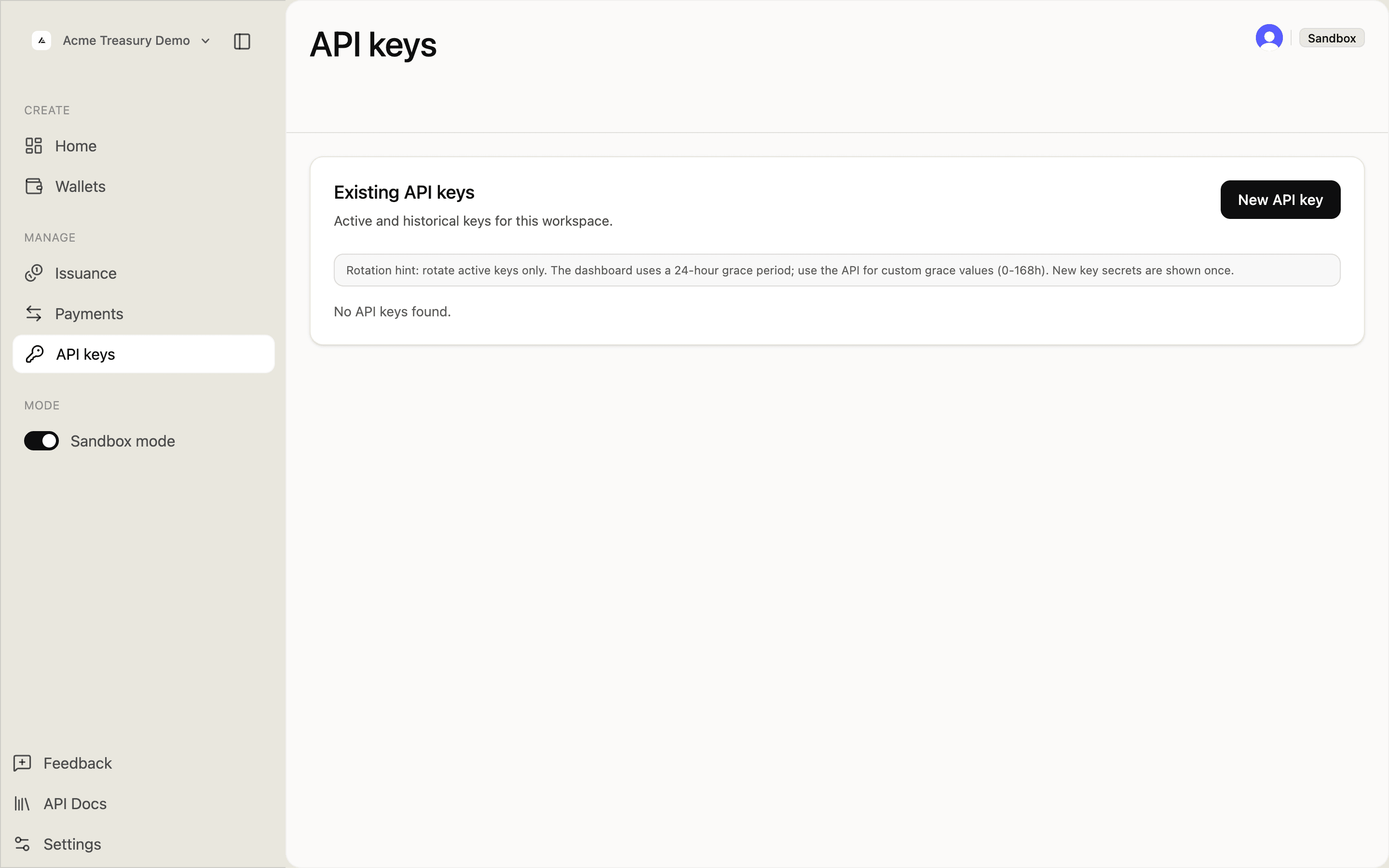
API keys page with no keys yet

Click New API key in the top right. Fill in the key details:

  • Name — a descriptive label (e.g., "CI deploy key")
  • Role — Admin, Developer, or Read only
  • Environment — Sandbox or Production
  • Wallet access — All wallets or Selected wallets
  • Expiration (optional) — date/time picker
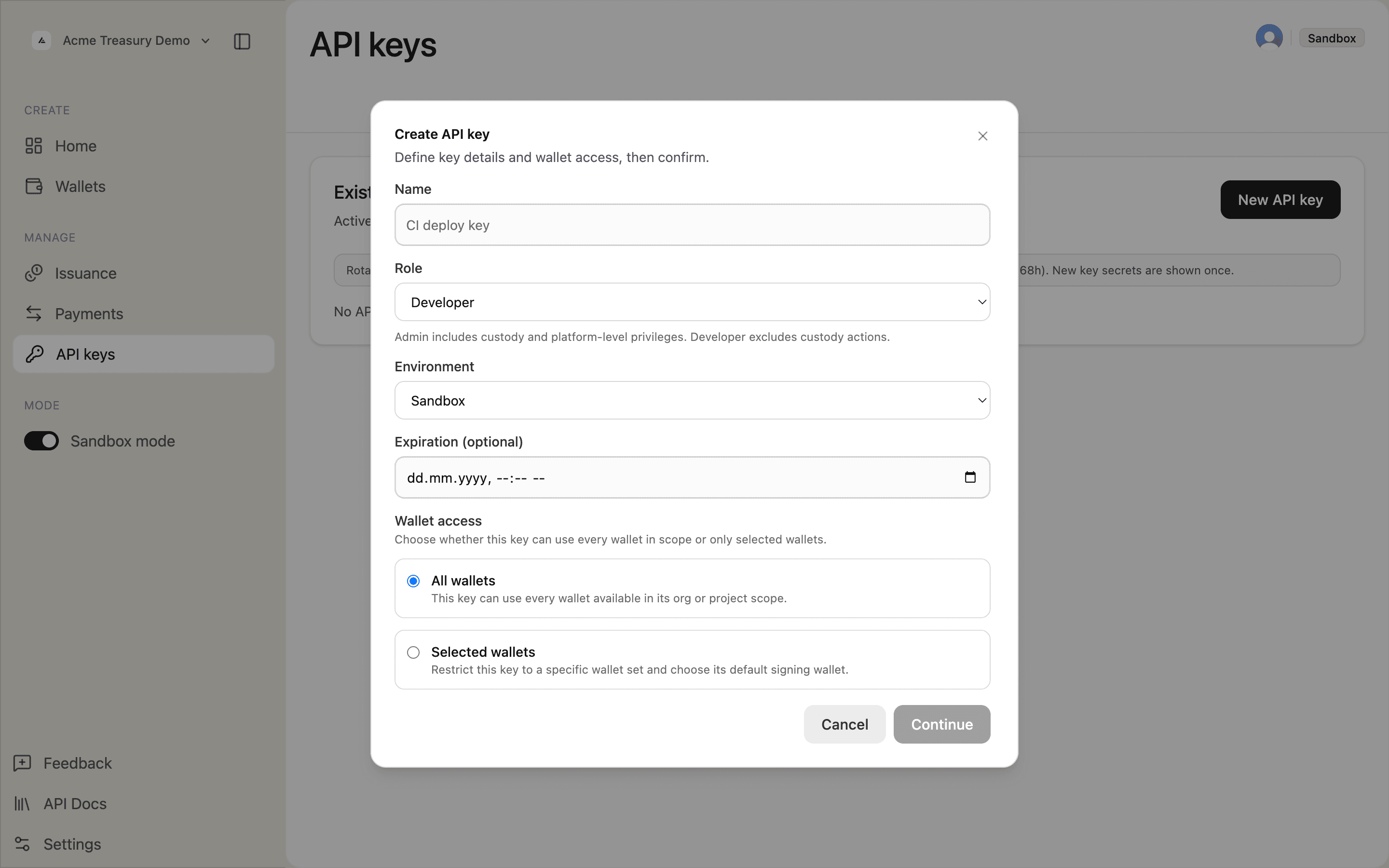
Create API key modal

Click Continue. Review the summary and click Create key.
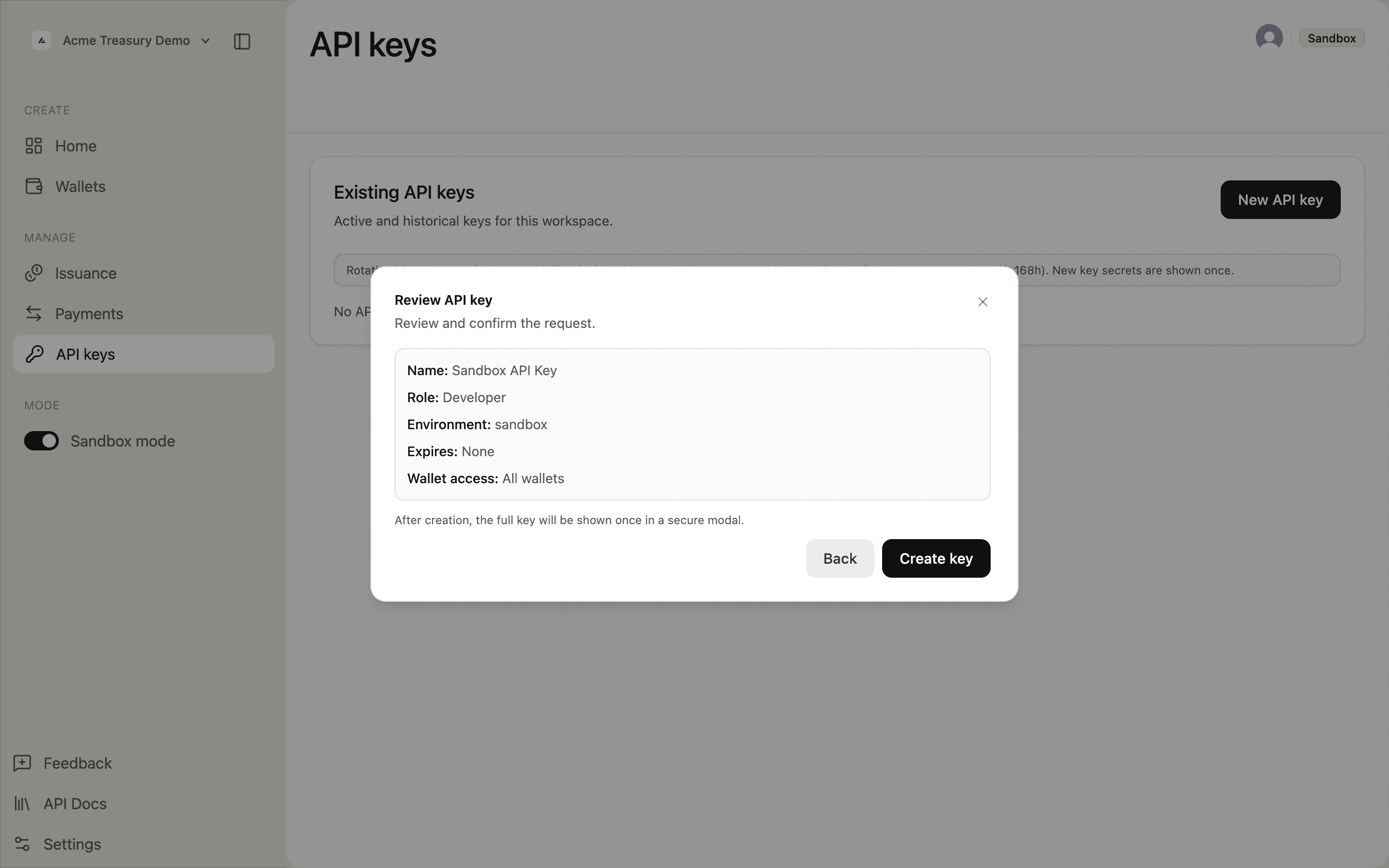
Review API key modal

The full key appears once in the API key generated modal. Click Copy and save it — it will not be shown again.
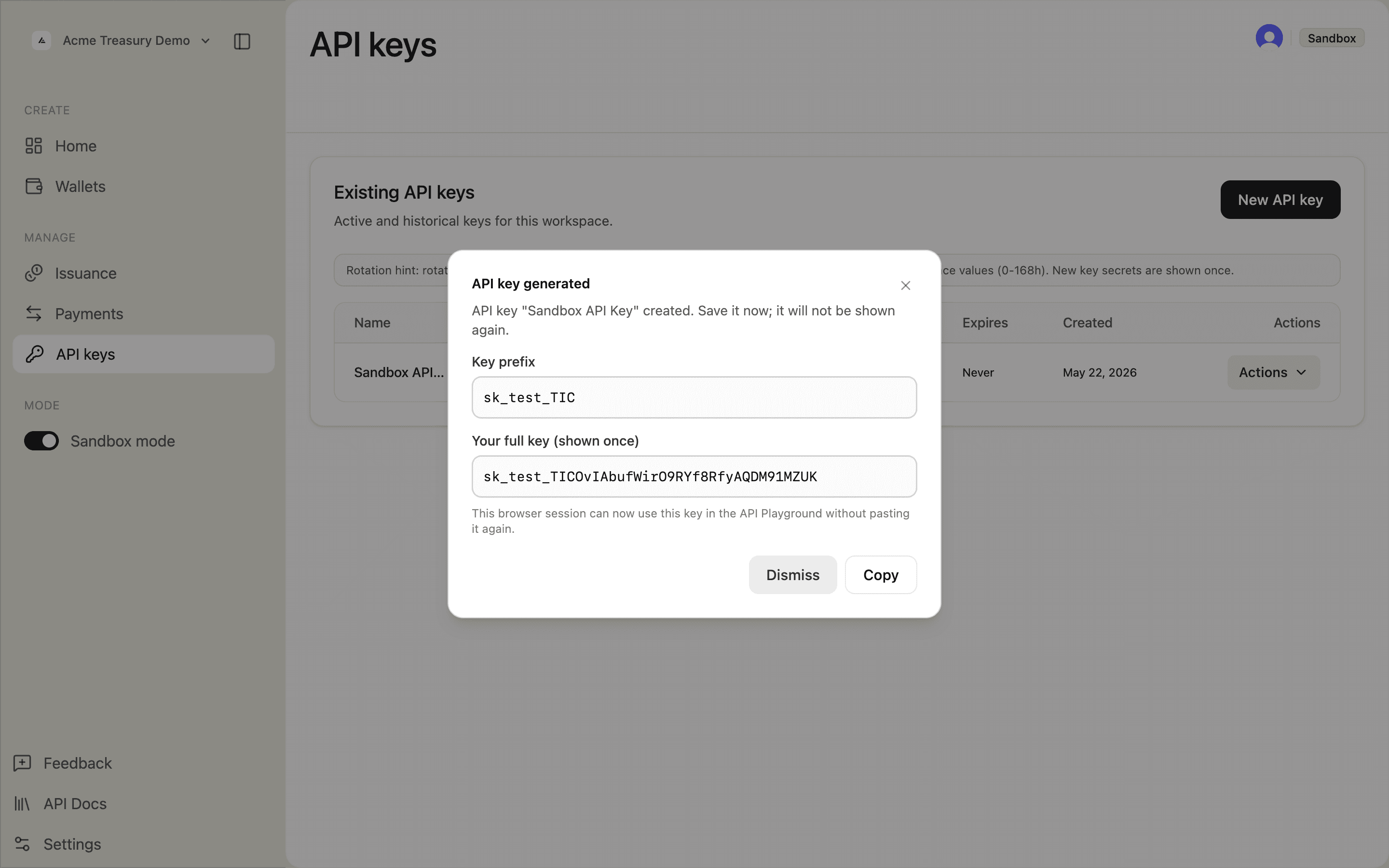
API key generated modal showing the full key

After dismissing, the key appears in the table with its prefix, role, environment, and status.
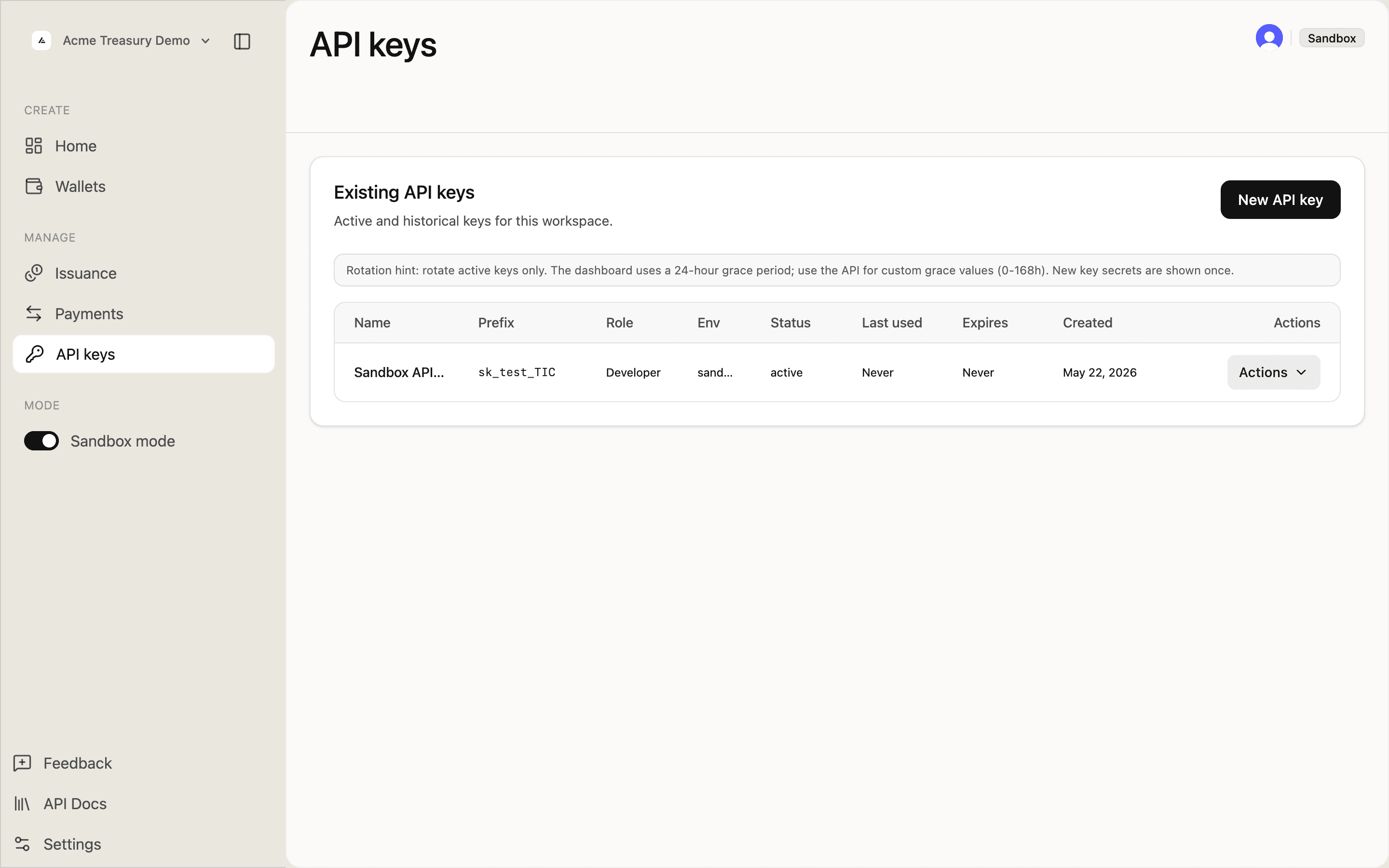
API keys list with one active key

curl -X POST https://api.solana.com/v1/api-keys \
  -H "Authorization: Bearer sk_test_..." \
  -H "Content-Type: application/json" \
  -d '{
    "name": "CI deploy key",
    "role": "api_developer",
    "environment": "sandbox",
    "walletScope": "all",
    "expiresAt": "2026-12-31T23:59:59Z"
  }'
const response = await fetch("https://api.solana.com/v1/api-keys", {
  method: "POST",
  headers: {
    "Authorization": "Bearer sk_test_...",
    "Content-Type": "application/json",
  },
  body: JSON.stringify({
    name: "CI deploy key",
    role: "api_developer",
    environment: "sandbox",
    walletScope: "all",
    expiresAt: "2026-12-31T23:59:59Z",
  }),
});
const { data } = await response.json();
// data.apiKey.key — save this, only shown once
HttpRequest request = HttpRequest.newBuilder()
    .uri(URI.create("https://api.solana.com/v1/api-keys"))
    .header("Authorization", "Bearer sk_test_...")
    .header("Content-Type", "application/json")
    .POST(HttpRequest.BodyPublishers.ofString("""
        {
          "name": "CI deploy key",
          "role": "api_developer",
          "environment": "sandbox",
          "walletScope": "all",
          "expiresAt": "2026-12-31T23:59:59Z"
        }"""))
    .build();

The response includes the full key value — save it, it is only returned once.

Optional fields: allowedIps (CIDR ranges), permissions (fine-grained), signingWalletId, walletBindings.

Rotate a key

In the API keys table, open the Actions dropdown next to the key and click Rotate key (24h grace). The dashboard always uses a 24-hour grace period — use the API if you need a custom value (0–168h).
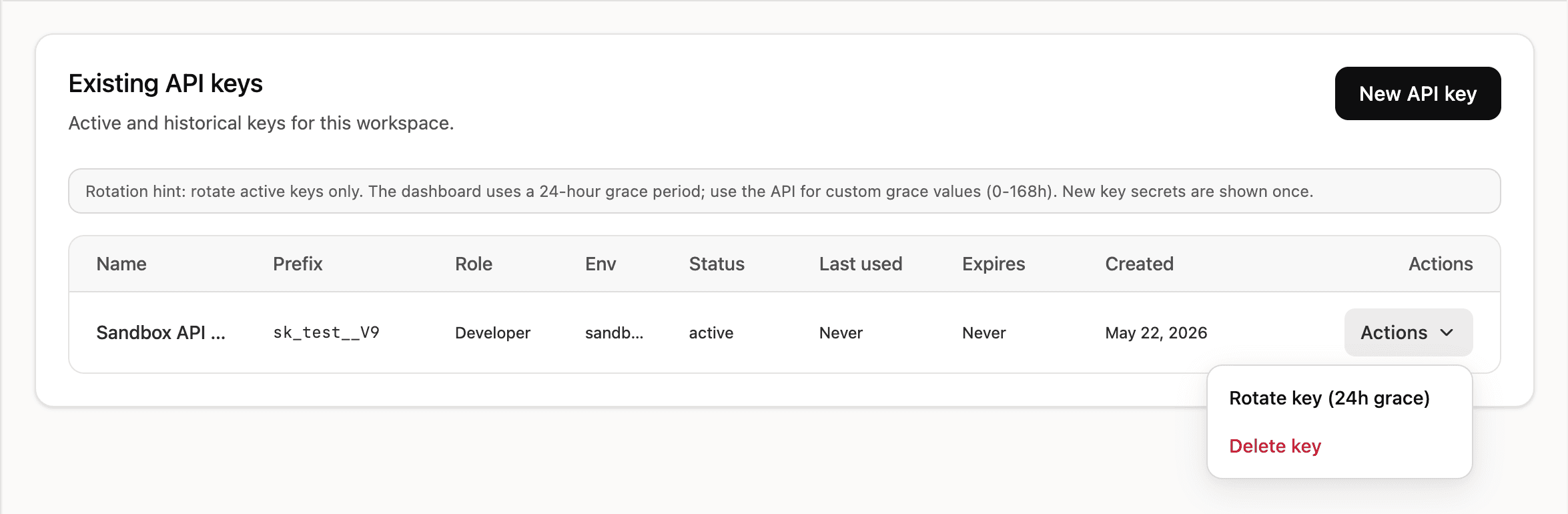
Actions dropdown showing Rotate key and Delete key options

During the grace period both the old and new key are valid. The new key value appears once in the generated key modal — save it immediately.

curl -X POST https://api.solana.com/v1/api-keys/key_abc123/rotate \
  -H "Authorization: Bearer sk_test_..." \
  -H "Content-Type: application/json" \
  -d '{ "gracePeriodHours": 24 }'
const response = await fetch(
  "https://api.solana.com/v1/api-keys/key_abc123/rotate",
  {
    method: "POST",
    headers: {
      "Authorization": "Bearer sk_test_...",
      "Content-Type": "application/json",
    },
    body: JSON.stringify({ gracePeriodHours: 24 }),
  }
);
const { data } = await response.json();
// data.apiKey — the new key
HttpRequest request = HttpRequest.newBuilder()
    .uri(URI.create("https://api.solana.com/v1/api-keys/key_abc123/rotate"))
    .header("Authorization", "Bearer sk_test_...")
    .header("Content-Type", "application/json")
    .POST(HttpRequest.BodyPublishers.ofString("""
        { "gracePeriodHours": 24 }"""))
    .build();

The old key remains valid for the grace period (0–168 hours).

Revoke a key

Open the Actions dropdown next to the key and click Delete key. The key stops working immediately and cannot be restored.

curl -X DELETE https://api.solana.com/v1/api-keys/key_abc123 \
  -H "Authorization: Bearer sk_test_..." \
  -H "Content-Type: application/json" \
  -d '{ "confirmation": "CI deploy key" }'
await fetch("https://api.solana.com/v1/api-keys/key_abc123", {
  method: "DELETE",
  headers: {
    "Authorization": "Bearer sk_test_...",
    "Content-Type": "application/json",
  },
  body: JSON.stringify({ confirmation: "CI deploy key" }),
});
HttpRequest request = HttpRequest.newBuilder()
    .uri(URI.create("https://api.solana.com/v1/api-keys/key_abc123"))
    .header("Authorization", "Bearer sk_test_...")
    .header("Content-Type", "application/json")
    .method("DELETE", HttpRequest.BodyPublishers.ofString("""
        { "confirmation": "CI deploy key" }"""))
    .build();

The confirmation field must match the key's name. The key stops working immediately.

Is this page helpful?