Basic payment
Send a single token transfer with SDP, using either Execute or Prepare mode.
SDP handles token transfers through its payments API. A basic payment moves tokens from a custody wallet you control to any Solana wallet address. The source field on the request is an SDP custody wallet ID (wal_…), resolved server-side from the caller's wallet list; destination is the recipient's on-chain wallet (owner) address — for SPL transfers, SDP derives the associated token account (ATA) from this address and creates it if needed, so pass the wallet pubkey, not a token-account address.
Transfers are available through the Payments dashboard and the API.
Prerequisites
- A deployed token with minted supply
- A custody wallet to use as the
source. Execute mode additionally requires the wallet to have a custody signer configured so SDP can sign and submit; Prepare mode doesn't (you'll sign client-side). - An API key with both
payments:writeandwallets:readpermissions, where the key'spayments:writescope includes the source wallet — both endpoints (POST /v1/payments/transfersandPOST /v1/payments/transfers/prepare) are gated by that pair at the route layer, and the source wallet is then re-checked against the key'spayments:writewallet scope.
How it works
Set up the transfer
Specify the source, destination, token, and amount.
Go to Payments in the sidebar. The overview shows your total SDP balance, recent transactions, and Send / Receive actions.
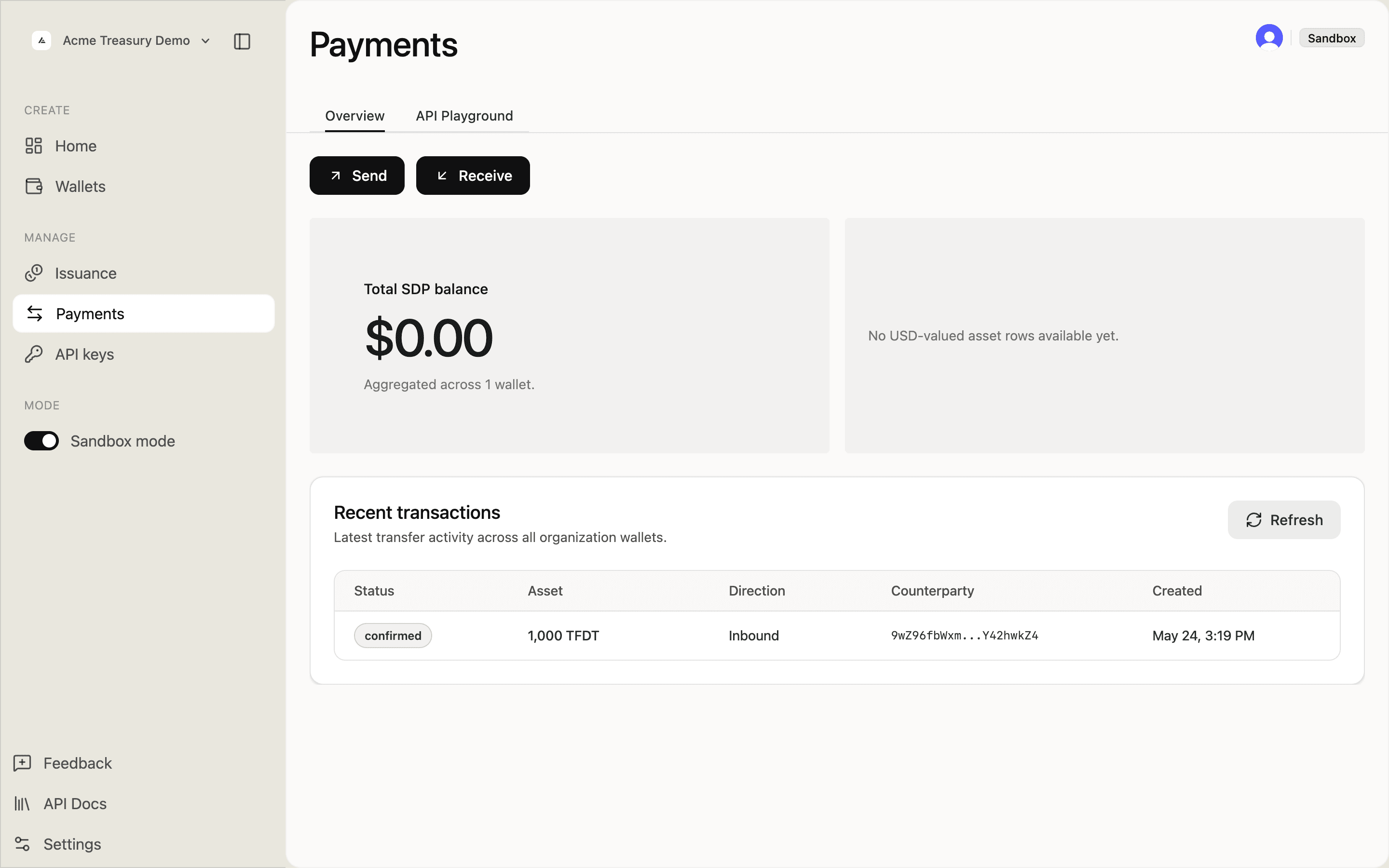
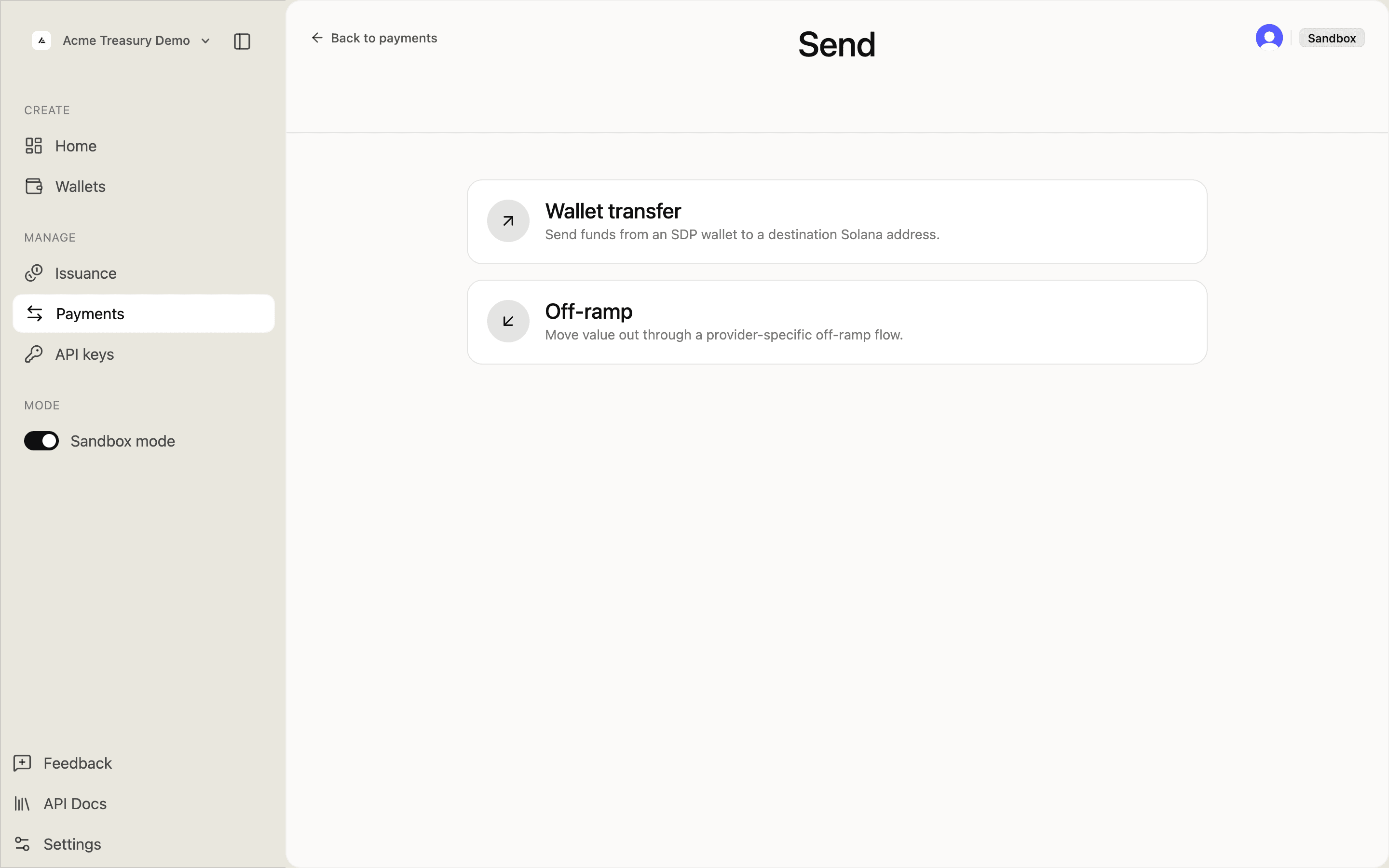
Click Send and select Wallet transfer to send from an SDP wallet to a Solana address.
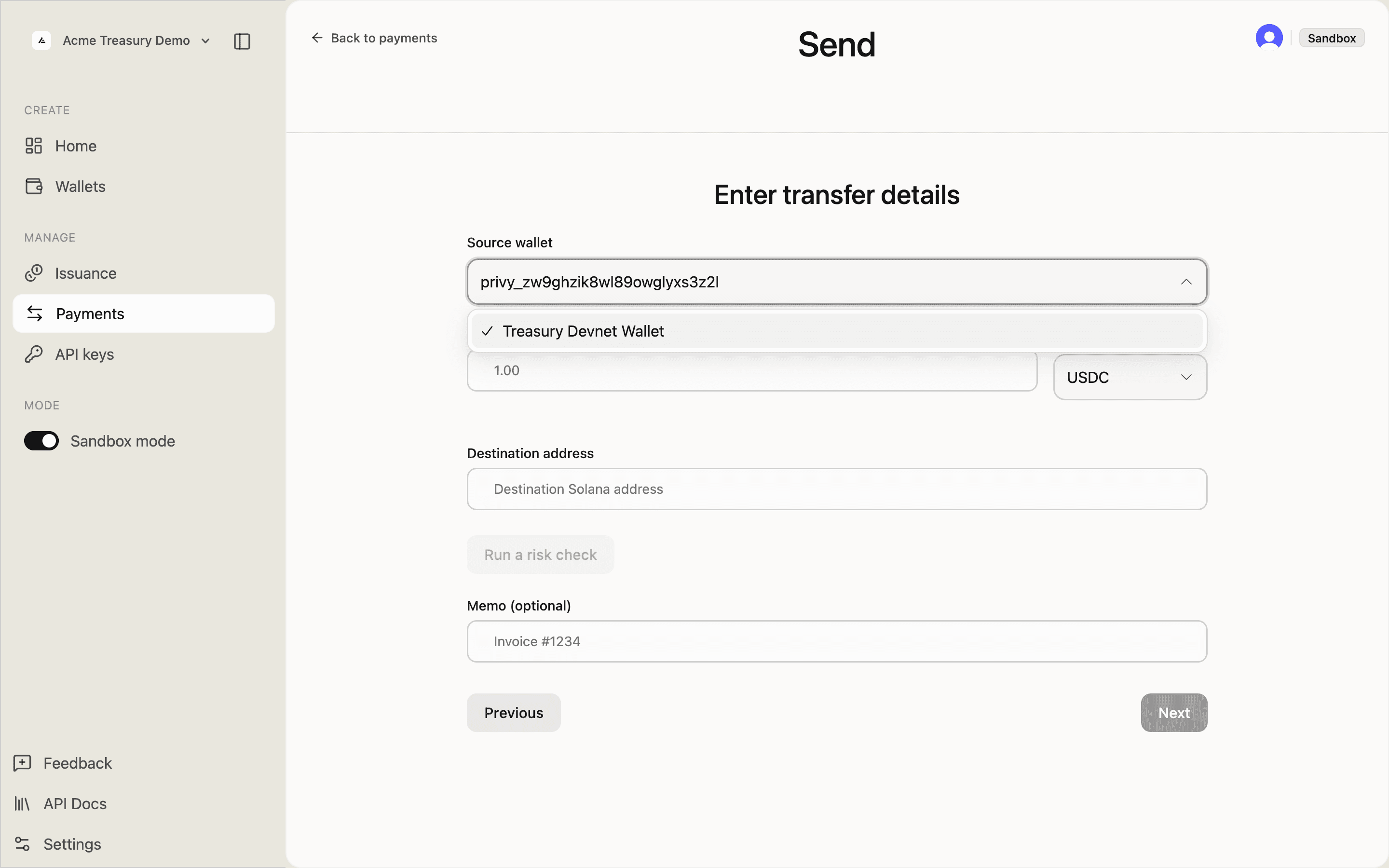
On the Enter transfer details form, select a source wallet from the dropdown.
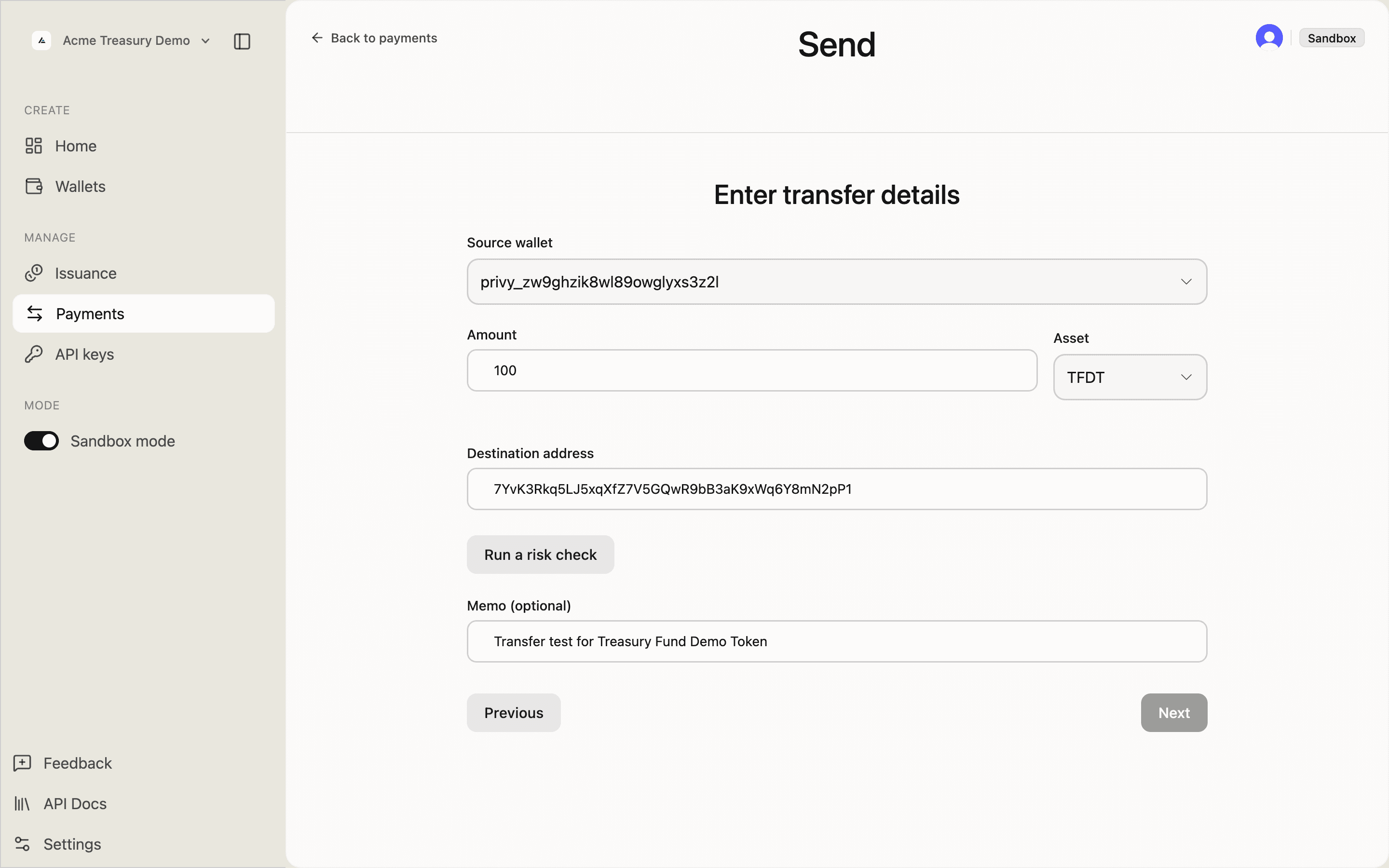
Fill in:
- Source — a wallet you control in SDP
- Amount — human-readable units (e.g.,
0.5) - Asset — select from your deployed tokens
- Destination address — any valid Solana wallet address
- Memo — optional note recorded onchain
Prepare the request body:
const body = {
source: "wal_example", // SDP custody wallet ID
destination: "7xKXz...9fGh", // recipient wallet (owner) address
token: "9aBCd...4eEf", // onchain mint address
amount: "100.00", // human-readable units
memo: "Payment for invoice #1234",
};token is the mint address returned by the deploy step, not the SDP token ID. destination is the wallet pubkey — SDP derives the associated token account from it.
Execute the transfer
Submit the transfer. In Execute mode SDP signs and submits. In Prepare mode you receive an unsigned transaction to sign client-side. See Prepare vs Execute for guidance.
Click Review to see the transfer summary, then Confirm to submit.
The transfer status updates to Confirmed once the transaction is finalized.
Execute mode
curl -X POST https://api.solana.com/v1/payments/transfers \
-H "Authorization: Bearer sk_test_..." \
-H "Content-Type: application/json" \
-d '{
"source": "wal_example",
"destination": "7xKXz...9fGh",
"token": "9aBCd...4eEf",
"amount": "100.00",
"memo": "Payment for invoice #1234"
}'const response = await fetch(
"https://api.solana.com/v1/payments/transfers",
{
method: "POST",
headers: {
"Authorization": "Bearer sk_test_...",
"Content-Type": "application/json",
},
body: JSON.stringify({
source: "wal_example",
destination: "7xKXz...9fGh",
token: "9aBCd...4eEf",
amount: "100.00",
memo: "Payment for invoice #1234",
}),
}
);
const { data } = await response.json();
// data.transfer.id, data.transfer.status — transfer record under the `transfer` envelope keyHttpRequest request = HttpRequest.newBuilder()
.uri(URI.create("https://api.solana.com/v1/payments/transfers"))
.header("Authorization", "Bearer sk_test_...")
.header("Content-Type", "application/json")
.POST(HttpRequest.BodyPublishers.ofString("""
{
"source": "wal_example",
"destination": "7xKXz...9fGh",
"token": "9aBCd...4eEf",
"amount": "100.00",
"memo": "Payment for invoice #1234"
}"""))
.build();Prepare mode — append /prepare and add "options": { "simulate": true } for a dry-run.
curl -X POST https://api.solana.com/v1/payments/transfers/prepare \
-H "Authorization: Bearer sk_test_..." \
-H "Content-Type: application/json" \
-d '{
"source": "wal_example",
"destination": "7xKXz...9fGh",
"token": "9aBCd...4eEf",
"amount": "100.00",
"memo": "Payment for invoice #1234",
"options": { "simulate": true }
}'const response = await fetch(
"https://api.solana.com/v1/payments/transfers/prepare",
{
method: "POST",
headers: {
"Authorization": "Bearer sk_test_...",
"Content-Type": "application/json",
},
body: JSON.stringify({
source: "wal_example",
destination: "7xKXz...9fGh",
token: "9aBCd...4eEf",
amount: "100.00",
memo: "Payment for invoice #1234",
options: { simulate: true },
}),
}
);
const { data } = await response.json();
// data.preparedTransaction.serialized — sign and submitHttpRequest request = HttpRequest.newBuilder()
.uri(URI.create("https://api.solana.com/v1/payments/transfers/prepare"))
.header("Authorization", "Bearer sk_test_...")
.header("Content-Type", "application/json")
.POST(HttpRequest.BodyPublishers.ofString("""
{
"source": "wal_example",
"destination": "7xKXz...9fGh",
"token": "9aBCd...4eEf",
"amount": "100.00",
"memo": "Payment for invoice #1234",
"options": { "simulate": true }
}"""))
.build();Verify the transfer
Confirm the transfer completed and balances updated.
The transfer appears in Payments history with a confirmed status and an onchain transaction signature.

Click the record to see full details including the Solana Explorer link.
// data.transfer.status — "confirmed"
// data.transfer.signature — onchain tx signaturePoll status for async confirmations:
curl https://api.solana.com/v1/payments/transfers/txn_abc123 \
-H "Authorization: Bearer sk_test_..."Deduplication
Unlike the issuance endpoints, payments transfer endpoints do not currently honor an Idempotency-Key header — retrying a failed transfer request will produce a new Transfer record. To guarantee at-most-once execution from the client side:
- Persist the SDP
Transfer.idreturned by the first successful response before retrying. On retry, skip submission if you already have a transfer ID for that logical payment. - Rely on the on-chain
signature(UNIQUE across SDP's transfers table) as the cross-source dedup key once it is populated on the record.signatureis filled in when the transaction is submitted to the network, which can lag behind the initialprocessingstatus — treat its presence (not thestatusvalue) as the trigger for signature-based dedup.
See Payouts and disbursements for the same pattern applied to batched outbound flows.
Related
- Payment with memo — using the
memofield to carry order references - Payouts and disbursements — batched outbound flows
- Mint and Burn — create or destroy token supply
- Manage Allowlists — define approved destinations for allowlist-enabled issuance flows
- Freeze and Compliance — halt transfers for compliance